E-Municipality & Online Collection Frequently Asked Questions:
1- When and where should I pay my Property Tax and Environmental Cleaning Tax debts?
Tax debts are payable in two installments: May 31 for the 1st installment and November 30 for the 2nd installment.
Payment can be made using the following options.
a- Online Collection & E-Municipality:
– By clicking the “Online Collection” link on the official Polatlı Municipality e-belediye.polatli.bel.tr website, you can log in using your Turkish ID No or Registration No on the e-belediye.polatli.bel.tr page and perform debt inquiry and credit card payment.
b- Collection Offices:
– Municipality Service Building
c- Payment to PTT Postal Check Account:
When making payments to the above-mentioned Property Tax and Environmental Cleaning Tax accounts;
By specifying Turkish ID No, Full Name, and Municipality Property Registration No, Property Taxes can be paid to the Polatlı Municipality postal check account, and Environmental Cleaning Taxes can also be paid to the Polatlı Municipality postal check account.
2- I want to pay my tax debt but I do not have a membership or password. How can I log in?
If you do not have an e-municipality membership and password, you can follow the steps below;
– Click the Sign In button on the e-belediye.polatli.bel.tr page.
– From the Quick Payment option, enter one of the following in the TAXPAYER NO field: Turkish ID No, Municipality Registration No, or Tax No (for companies), then click the Sign In button. (Figure-1a)
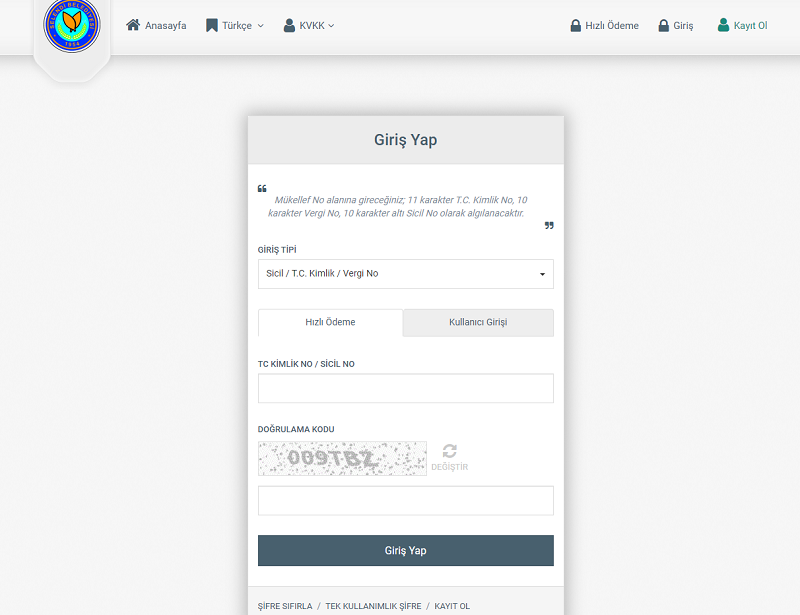
(Figure-1a)
– Under Services, click >>Debt Payment & Inquiry, then select Debt Transactions. (Figure-2a)
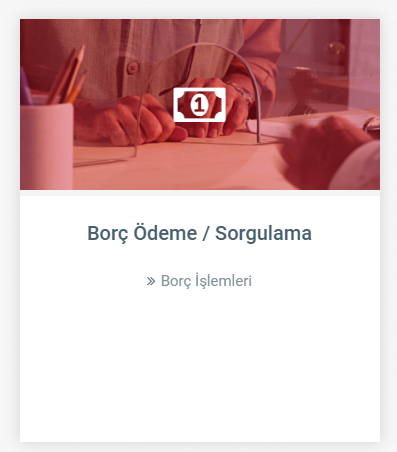
(Figure-2a)
– On the Debt Inquiry screen (Figure-3a), follow these steps:
1- Click Debt Transactions,
2- While on the Property Tax Tracking System, click once to view tax debt details,
3- Select the tax period to be paid,
4- Click the Continue button to proceed to the payment page.
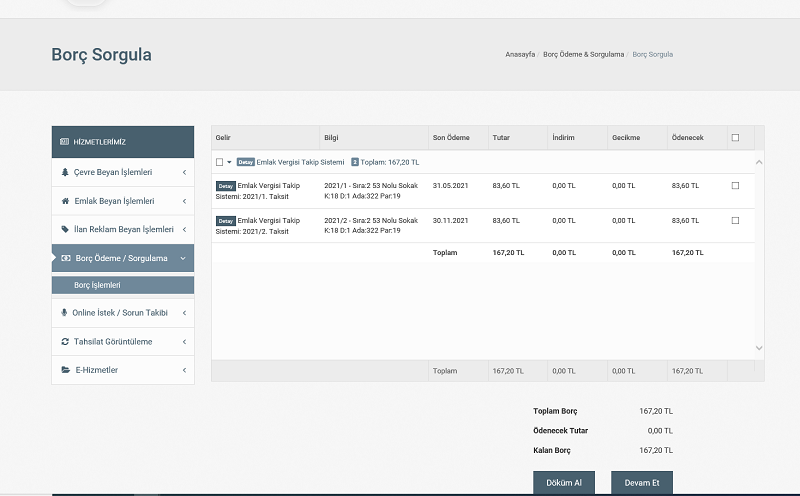
(Figure-3a)
– On the payment screen, enter the Credit Card Number, Cardholder Name, Expiration Date, and the 3-digit CVV code located on the back of the credit card. After entering the Verification Code, the 3D Secure SMS verification screen of your bank will appear. Once you enter the SMS password sent to your mobile phone by your bank, your payment will be completed. You can then obtain a receipt of your payment. (Figure-4a)
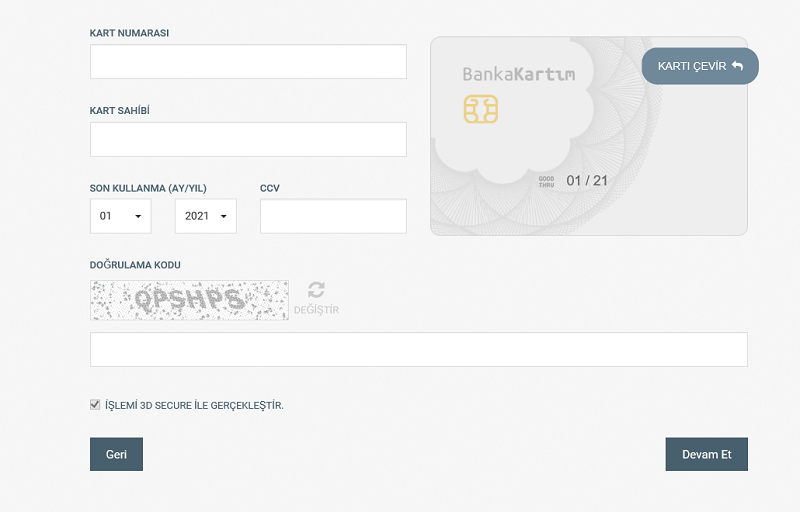
(Figure-4a)
3- I forgot my E-Municipality & Online Collection login password. How can I retrieve it?
Click the Sign In button located at the top right corner of the e-belediye.polatli.bel.tr homepage. As shown in Figure-5a, click the RESET PASSWORD button below the Sign In screen. On the Reset Password screen, fill in the Login and Verification Code fields, then click the Reset Password button. A password reset link will be sent to your registered email address. When you click the link, your password will be generated automatically and sent to your email address.
For quick access, click /en-us/uyelik/sifre-sifirla
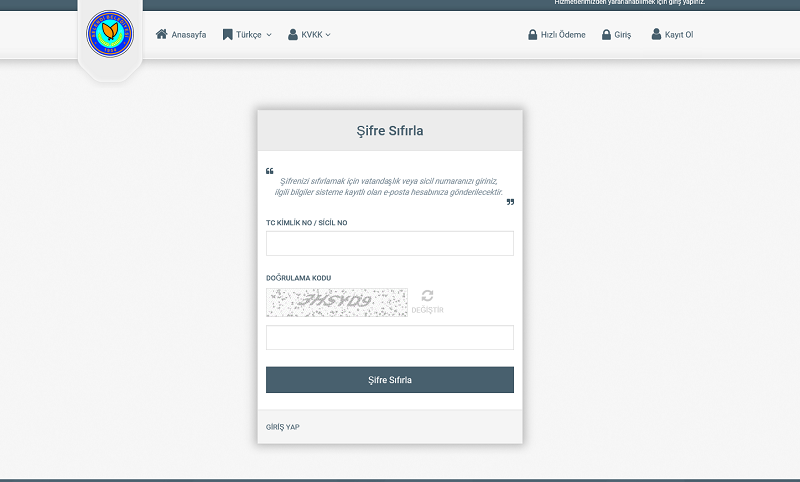
(Figure-5a)
4- My email address has changed. What should I do?
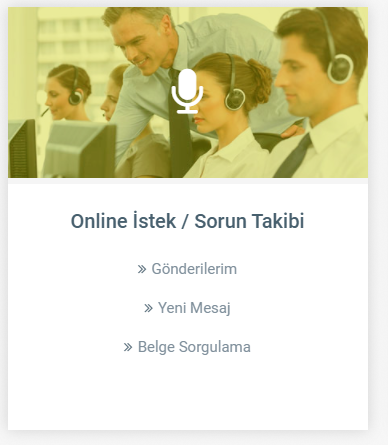
(Figure-6a)
Since the e-municipality login password is sent to your email address, your email information must be up to date. You may apply for an email update through the New Message section under Online Request & Issue Tracking on the e-municipality homepage. Provided that your information is correct, the necessary updates will be made and you will be informed via phone or email.
5- I paid my Property Tax via E-Municipality and want to get a receipt. What should I do?
For payments made without logging in, you can view and print your receipt from the View option under Receipt on the Successful screen after the bank payment page, or you can have your receipt sent to your email address. (Figure-8a)
If the payment screen has been closed and you still need a receipt, you must register in the e-municipality system via the Sign Up option. On the Sign Up screen for Individuals (Figure-8b), fill in the required fields and click the Sign Up button. If your information is correct, a password will be sent to your email address. After logging in with this password, you can obtain your receipt from the My Collections section.